"Editor" Portion in ODU_ISC3 Interface
Once the simulation is completed, you can examine outputfile by clicking
View Output File
button located in the right of "Define Output File
" button.
Notepad editor will be used as a default to open the output file. When output
file is too large to be loaded into Notepad editor, you'll get an error message
from Notepad editor. In such case, you can select a editor of your choice such
as MS Word or WordPerfect that can handle large files.
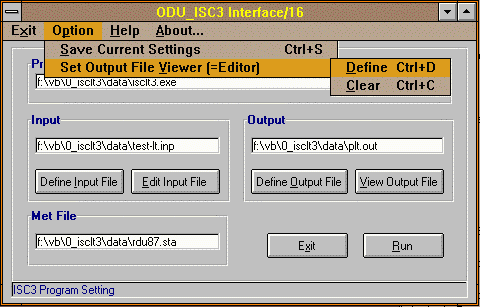 You can define or reset this external editor selection through
Option/Set Output
File Viewer(=Editor) menu.
You can define or reset this external editor selection through
Option/Set Output
File Viewer(=Editor) menu.
 TOC - ODU_ISC3 Usage

